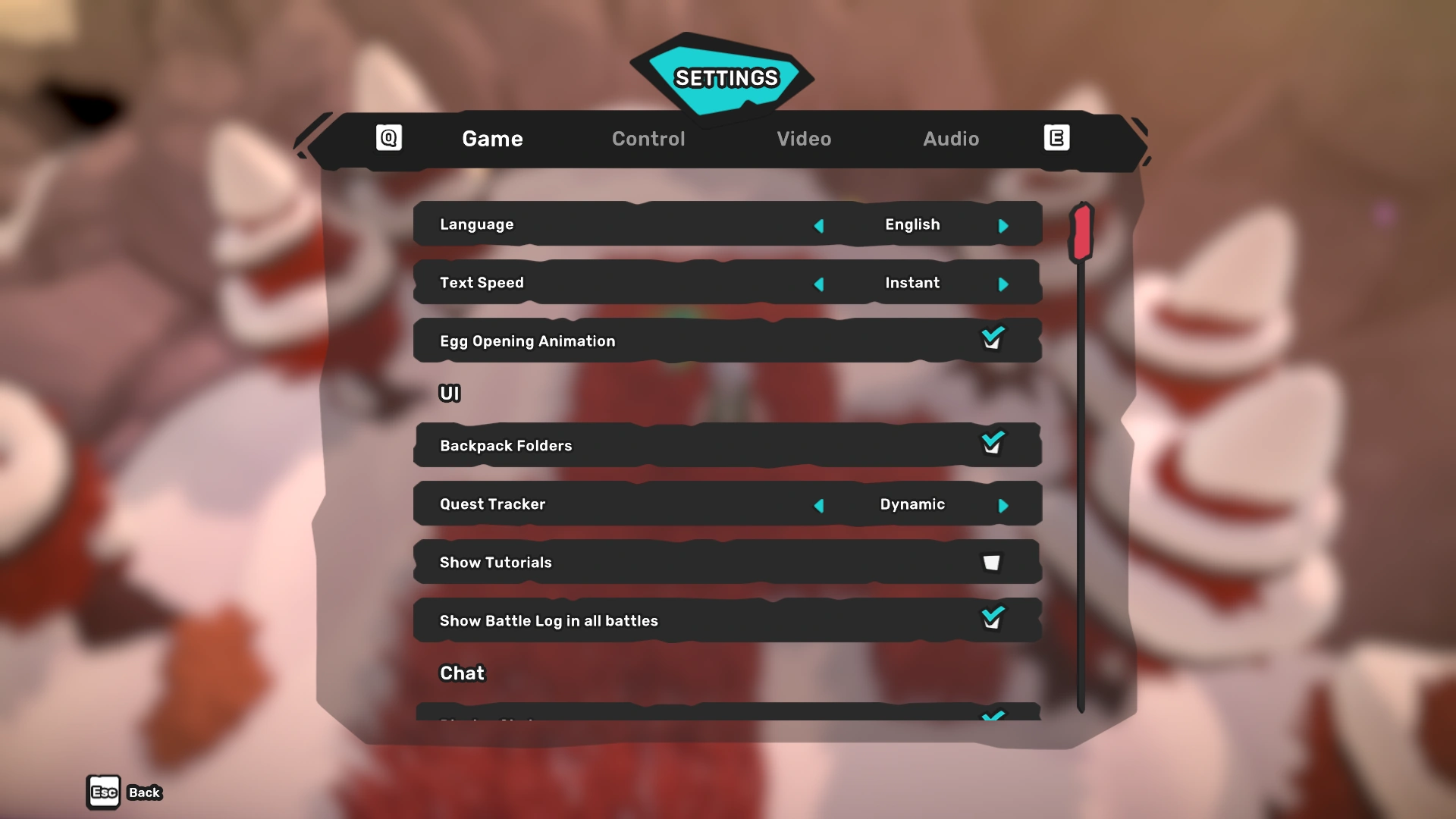

Game tab in settings menu.
The settings menu can be accessed via the menu bar opened with Esc or the equivalent key for controllers. It consists of general game settings, options pertaining to controls, video settings and audio settings.
Game
- Language: English / Español (Spanish) / Français (French) / Deutsch (German) / 日本語 (Japanese) / 中文 (Chinese) / 한국어 (Korean) / Português (Portuguese)
- Select the preferred game language. Note that with version updates containing new dialogue, non-English languages are not always updated at the same time.
- Text Speed: Slow / Normal / Fast / Instant
- Various speed settings for the appearance of characters in dialogues. When Instant is selected, all characters for each sentence appear at once.
- Egg Opening Animation: ☑ / ☐
- Choose whether or not the animation is shown when an egg hatches.
UI
- Backpack Folders: ☑ / ☐
- Choose whether items within specific backpack tabs are grouped together or not.
- Quest Tracker: Hide / Dynamic / Show
- Select the style in which the quest tracker is displayed. When Dynamic is chosen, it only appears at recent activity during a quest.
- Show Tutorials: ☑ / ☐
- Choose whether or not tutorials are displayed.
- Show Battle Log in all battles: ☑ / ☐
- The battle log is displayed by default in competitive matches. This option allows the battle log to be displayed in other combat as well.
Chat
- Display Chat: ☑ / ☐
- Choose whether or not to display the chat pane.
- Chat Bubbles: Hide / Full Content / Notification
- Full Content means the entire message is shown in a chat bubble. Notification only shows a generic (...) chat bubble.
- Display Own Chat Bubbles: ☑ / ☐
- Choose whether or not to display chat bubbles over your own character.
- Profanity Filter: ☑ / ☐
- Choose whether or not to censor profane text. Note that certain content (e.g. links) is always censored regardless of this setting.
- Block unknown whispers: ☑ / ☐
- Choose whether or not to accept whispers from players who are not added as friend or part of the same club.
- Blocked Users: [+]
- Brings up a list with blocked users and provides the ability to unblock them.
Control
- Redefine Controls: [+]
- Brings up a list to define controls.
- Gamepad Layout: Automatic / Xbox / PS4 / Switch
- Choose how the game should recognize button input. Note that PS4 is likely rudimentary since the game will no longer release on the PlayStation 4 but instead on the PlayStation 5.
Video
- Screen Mode: Full Screen / Borderless / Windowed
- Windowed mode renders Temtem as a draggable window with a title bar and the Minimize, Maximize and Close buttons. Borderless renders Temtem as a window without title bar and buttons that can not be dragged.
- Aspect Ratio: 3:2 / 4:3 / 5:3 / 5:4 / 16:9 / 16:10 / 25:16
- The various available aspect ratios to render Temtem. It defaults to the aspect ratio of the player's native display resolution.
- Resolution: Various options
- Choose the global render resolution of the game. Note that the available options are determined by the chosen Aspect Ratio. The maximum resolution is 3840x2160 with the 16:9 aspect ratio.
Advanced
- Quality: Low / Medium / Ultra
- Determines the overall render quality of the game.
- Frame Rate: 30 / 60 / 72 / 90 / 120 / 144 / Unlimited / Automatic
- Determines the refresh rate in Hz. Automatic should automatically adjust to the native display settings of your display. Unlimited. For capable devices, the optimal setting is the value equal to the native refresh rate of the display.
- Texture Quality:
- Determines the quality of textures.
- Performance Stats: Off / Fps / Fps+ / Complete
- Various values to be overlayed on the bottom left corner of the game. Parameters relate to frame rate and memory usage.
Audio
- Master: --<>--
- Slider setting for the main game volume.
- Music: --<>--
- Slider setting for the music volume.
- Sound: --<>--
- Slider setting for the sound volume.
- Mute in Background: ☑ / ☐
- Choose whether or not to mute the game when Temtem is in the background of the operating system.
- Dialog Character Voices: ☑ / ☐
- Choose whether or not to make character voices during dialogues audible.